系统升级,已经迁移到新的网址: https://guoan.acme-ai.net 所有数据和账号均已迁移至新的平台
System has been updated and transferred to new site: https://guoan.acme-ai.net, all data and account has been transferred already
1:访问新的网站 https://guoan.acme-ai.net,保存进收藏夹。以后访问新的网站即可访问,原有系统 https://guoan.now.sh 不日后会下线,
Visit our new site https://guoan.acme-ai.net, and saved into your favourites. You can visit the new website instead, and original system will take down soon.
2::如果是iPad,Mac或者 Windows 用户,且已经在系统中添加了快速应用图标的 (在ipad中有个国安的图标,mac/windows 的app 表中有国安的快速访问图标 ),请打开应用按照如下操作:
If you are iPad, Mac or Windows User, and you already the quick App entry in your system (which you should be have a icon on your iPad, mac/windows with guoan icon to quick launch the system), pls follow the steps as below.
Mac用户:
• 点击icon打开应用
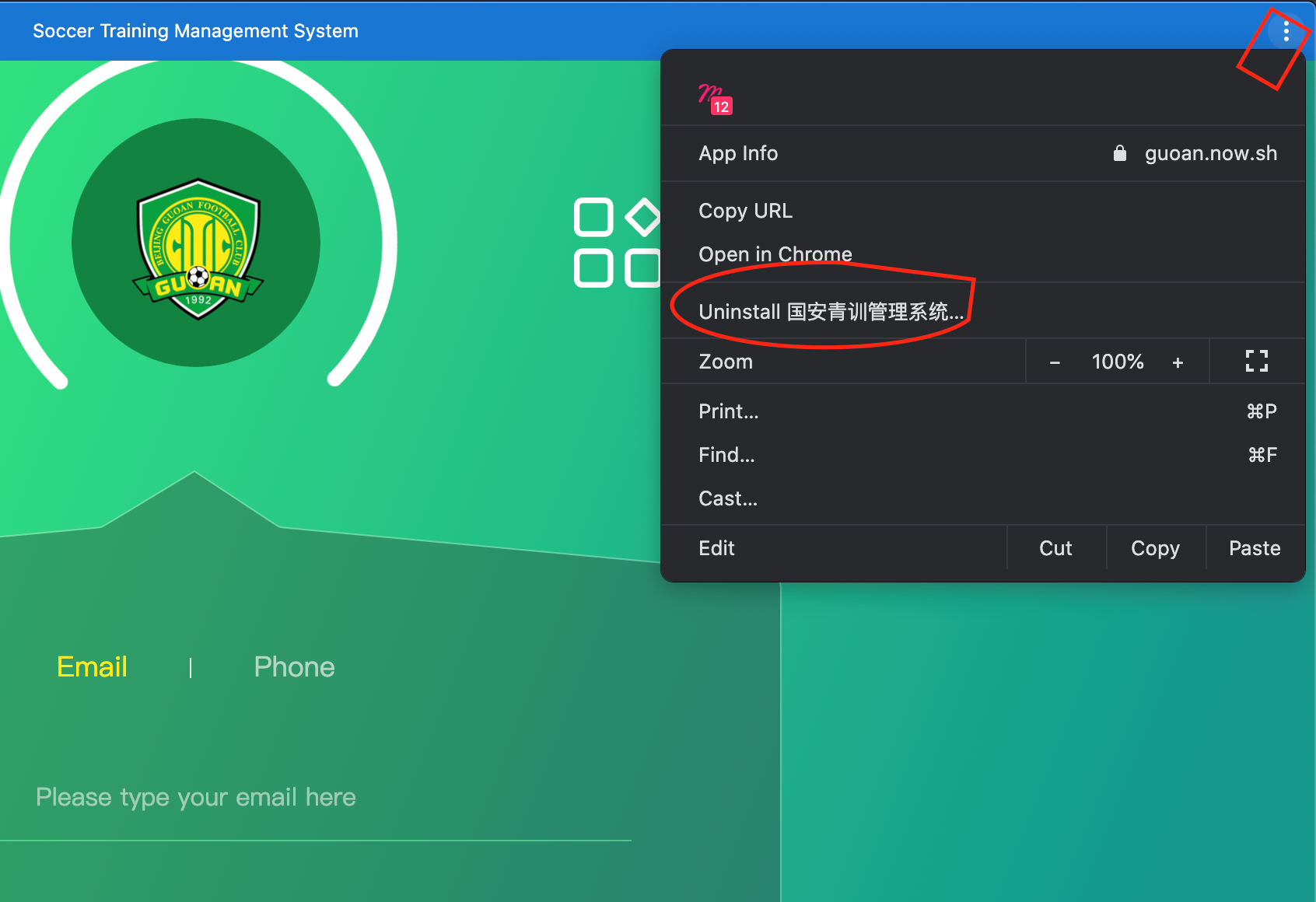
• 选择右上角 … 图标
• 在弹出的菜单选择删除
Mac User
• Click icon and open the system
• Click the … button on right top
• Select uninstall
iPad用户:
• 长按删除app即可
iPad User:
• Long press-hold to remove app
Windows用户:
• 直接删除到垃圾箱即可
Windows User:
• Remove to trash directly
3:新的系统支持添加快速应用入口,方法与之前一致。
Our new system support to add quick app entry on system, same as before:
• Chrome 用户访问 https://guoan.acme-ai.net 的时候,在右侧地址栏出现 + 号符号,直接点击即可
• iPad用户用Safari 打开 https://guoan.acme-ai.net 并选择添加书签即可
• Chrome user, pls visit https://guoan.acme-ai.net, and when you see a + icon on address bar on the right, click it and install
• iPad user can use Safari to open https://guoan.acme-ai.net, then select add bookmark.